 |
|
|
|
|
|

|




|
|||||||||

|
Reviews
Epson Perfection Photo 4990 Most affordable scanners designed for home use fall into two categories: dedicated film scanners and flatbed scanners. The former is designed to accommodate only film while the latter can scan prints too.
The 4990 arrived at my door with Epsonās usual attention to packing detail. Setup was relatively easy; just be sure to follow the well-written instructions closely for unlocking the scannerās carriage mechanism. Epson is also very emphatic about installing the drivers prior to connecting the scanner, which supports both USB and Firewire connections. I chose USB to connect to my PC. The installation was a breeze and my Windows XP system had no problems with any of the hardware or included software. Software
bundle extraordinaire Once everything was set up and working properly, I started off with some reasonably well-exposed 35mm slides that I shot on a trip I made to Hawaii last fall. The Epson Scan software has three modes to choose from: an Auto mode for beginners, an Intermediate mode with more scanning options, and an Expert level offering the most control over the scanning operation. I selected the expert level and dove right in. I happen to own a much older ćcousinä of the 4990÷an Epson 2450 scanner÷and was hopeful that the new model would be a noticeable improvement; I was not disappointed. The Epson 4990 gave me scans with much better shadow detail than my older model was capable of. The colors were spot-on using my calibrated monitor and the scans really did justice to the saturated Velvia film that I used while shooting on the Big Island. A 2400 dpi scan of a 35mm slide took a little over a minute, which is certainly an improvement over my older model. The
Hasselblad Test For anyone who has spent hours de-spotting negatives and slides, the included Digital Ice software can be a God-send. Even though scan times are increased substantially itās worth it because I can walk away and do something else while my scan is ćcooking.ä I try to keep my slides and negatives stored properly but dust always manages to sneak in and a few of my older negatives had managed to get a nasty scratch or two. I could have easily spent an entire evening squinting at my monitor, zapping spots with Photoshopās clone tool. Fortunately this was unnecessary for the most part and I found only a few problem areas that managed to out-fox the Digtial Ice software. I did find that sharpening the scan using Photoshopās Unsharp Mask is quite necessary÷even more so for my medium format scans. However this came as no great surprise and once I found the appropriate amount and radius, the results were excellent. Scanning at its highest optical resolution (and 48-bit color depth), the resulting files were so huge they threatened to use up most of my available disk space; fortunately I didnāt need mural-sized prints so I settled on scanning my 6x6 negatives at 2400 dpi. This gave me the ability to compare recently-made prints with some Iād made a few years ago with my old Epson 2450. I must say thereās no contest; the 4990 prints win hands down with a big improvement in shadow detail÷most likely due to the much improved 4.0 Dmax rating of this new scanner. Verdict:
Whatās not to like? Whatās
not to like? While the film holders are an improvement over my old
Epsonās, theyāre still a bit flimsy and I suspect easily broken.
I must admit that they do do a much better job of holding the film
flat than the old Epsonās film-holders did and that can be very
important for obtaining a good, sharp scan. As mentioned earlier,
it wouldāve been nice if Epson had been able to work something out
with Adobe so that Photoshop Elements 3.0 could have been bundled
with the scanner instead of version 2.0. Other than those two admittedly
small gripes I cannot think of any reason not to recommend the Epson
4990 flatbed scanner very highly indeed.
Epson Perfection 4990 General Specifications Scanning Speed Outstanding Features Software Bundle Dimensions & Weight Contact: www.epson.com Street Price: $449 öBeau
Hooker
|
||||||||
|
|
|||||||||
|
©
2004 D.C. Publications, Inc. All Rights Reserved. |
|||||||||


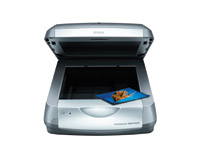 Not
too long ago most would agree that flatbed film scanners were not
quite ready for prime time. Those early models added film scanning
as an after-thought to a device that was primarily designed to scan
documents and prints. Sometimes scanning film meant the purchase
of an extra adapter and the results were barely good enough for
an 8x10 inch print. Epson can take credit for refining the flatbed
film scanner with the introduction of its latest model, the Epson
4990 film scanner. I must confess that I had my doubts. Could this
new device really deliver a noticeable improvement over my old Epson
2400 dpi scanner?
Not
too long ago most would agree that flatbed film scanners were not
quite ready for prime time. Those early models added film scanning
as an after-thought to a device that was primarily designed to scan
documents and prints. Sometimes scanning film meant the purchase
of an extra adapter and the results were barely good enough for
an 8x10 inch print. Epson can take credit for refining the flatbed
film scanner with the introduction of its latest model, the Epson
4990 film scanner. I must confess that I had my doubts. Could this
new device really deliver a noticeable improvement over my old Epson
2400 dpi scanner?